My MacBook Air was $1,799 and the equivalent MacBook Pro (top of the line 15″, because why would you buy the 13″?) would cost me just over $3,200 (adding 3rd party SSD, Apple 8GB RAM and the Hi-Res screen).
Man, this is disingenuous. 8GB RAM? As if you can't get it cheaper (or the MBA even offered 8GB RAM as an option)? Or as if the 15" MBP doesn't blow the Air out of the water in every other aspect? I bought a 13" Pro because (a) it's smaller and lighter than the 15" and (b) I don't play PC games.
13" MBA with 256GB SSD, 4GB RAM, 2.13 GHz C2D -- $1799
Sure, I don't have a Hi-Res screen (the one Pro feature I wanted on the 13"), but I can actually upgrade my computer in 3 years when 4GB RAM becomes a bottleneck. Now that's a low year-over-year computing cost.
The MacBook Air is an awesome machine, to be sure, but it's awesome because of the built-in SSD--not because of the value it provides.
> Sure, I don't have a Hi-Res screen (the one Pro feature I wanted on the 13"), but I can actually upgrade my computer in 3 years when 4GB RAM becomes a bottleneck. Now that's a low year-over-year computing cost.
You can also upgrade your MBP RAM cheaply today (or tomorrow) to 8GB.
Not only does the MB Air not support 8GB, it's soldered on, so you can't upgrade.
I think that point is that if he were buying a MBP that it would not be able to justify the purchase to himself without maxing everything out. So that price comparison is really only applicable to him.
Right, but even then that's not a clear comparison. Maxing out a 15" MBP makes no sense for him--he bought a 13" MBA, so he clearly believed that 256 GB SSD + 4GB RAM would cover his needs.
Does he have to always max out his Apple equipment purchases?
I feel that it makes sense. When weighing the options I came to the exact same conclusion as the author, except my notebook is < 1 year old so I'm not actually upgrading soon, though I would like to shed weight.
If I were to buy a Pro it'd be the 15" for its resolution, and I definitely want 8GB of memory. However the 13" Air is compelling because of the size & weight. If it were available with 8GB of memory that would be the way to go, but it's not.
Personally I'm holding out for the 15" Air. Ideally with a faster CPU (Core i3 or i5 is fine), up to 8GB or 16GB of memory, and a resolution of 1680x1050. While I'm wishing it should also have a matte option. The Air is nice but it's not a portable workstation replacement, yet.
I think that the point is that if you can survive with a MBA with 4GB, then you can survive with a MBP with 4GB and just save the money. The same for the other specs that he was maxing out. He then went on to conclude that the lower specs meant that he might have to replace his laptop sooner, but the lower price meant that wasn't much of an issue. This side-steps the fact that if you lower the specs on the MBP you could say the same thing (lower specs == replace sooner, but lower cost offsets this).
No argument there. However as you start cutting things from the 15", driving the price down, it gets less and less compelling when compared to the 13" Air. The upgraded specs are the only reason to prefer the 15" over the Air at the same price, the Air is 1/2 the size & weight. Of course this is only my opinion, and it's merely a coincidence that I share it with this particular author. I'm not sold on the Air yet though, I think it needs a couple of iterations before it'll be a great Pro replacement and not just a passable one.
If you take the base 15" and add a 128GB SSD to make it as cheap as possible it's $1999. Unless you really care about the CPU, graphics card, optical drive, or FireWire (which I don't, but others do) you're paying $200 more for a larger, heavier machine. With less storage. If you add the 256GB SSD it's $2399, which makes it even less compelling. I'd rather put that $600 towards a 27" display and still have a 256GB SSD.
The only reasons for me to prefer the 15" are greater resolution or memory capacity, without those I only benefit for the faster CPU. Again this is very much my opinion and I don't expect everyone to agree. I'm not baffled that we disagree, people value different things based on their usage patterns.
Are you sure you want to own your MacBook for 3 years?
The depreciation on Apple laptops is low enough that you can resell it and trade up to the latest refresh once a year for the same cost as trading up once every 3 years. If you're interested in the best bang-for-your-buck and can put up with the hassle, you should definitely think about it.
I'm at 3.5+ years on my current white macbook, and finally about ready to get a new one. Use it most of the day, most days for web and misc development.
Thinking a macbook pro with SSD & 8GB has a chance of lasting even longer.
Oh, without a doubt— I'm on the third year with this MBP, and I ran my old iBook even longer than that. They're great machines, and they do last forever.
The point is more that rather than running one machine into the ground until it's thoroughly obsolete (three years give or take) and then paying full price for a new one, one could resell a year later when it's still worth nearly what you paid for it and upgrade to the newest model. The price per year works out to be more or less the same, but you have cutting-edge hardware year after year rather than spending two years out of three in comparative obsolescence.
3 years here, still working great - though I put in a bigger, 7200rpm HDD a year ago. It hurts on AAA modern games, but I don't play them anyway - indie stuff usually runs flawlessly.
The only thing I use my DVD drive for is movies (but I recently got Netflix), and a recent troubleshooting round on a 1st gen MBA. And I made an install USB stick, so I don't need the drive any more anyway.
This has easily been the longest-lasting computer I've purchased, especially in the laptop realm. I'm thrilled with what it cost me.
I'm always surprised by people that don't see 13" screens as having a utility value - portability. I've recommended people get 13" laptops when their needs require this portability (eg: tertiary students). Those that said "no, I want a big screen!" for the e-peen value later regretted lugging a 15" screen around. Big screens are awesome... unless you're moving around a lot.
It is easy for the comparison to come out either way depending on personal preferences because the specs are pretty close.
I did the exact same assessment as you 4 months ago and bought the MBA 13" because a) I cared about the high-res screen more than the processor speed, and b) I only expect it to last 2 years so 4GB RAM is enough (insofar as you can ever have enough RAM.)
Like the poster below says, its lighter, thinner, and has a nicer screen. My MBP has a DVD drive (yes, I still use Netflix discs because no, their instant doesn't have everything), better graphics, and a killer CPU by comparison.
It really is about tradeoffs. My MBP is my only computer, and I need the above.
Very true. I've used an Air as my only development and design machine for 2 years now; I love it; the thing has only 2Gb of RAM and it's still blazing fast for most everything. This is completely due to the SSD, which wasn't standard when I bought it, but seemed worth splurging for. I sleep better at night with less moving parts. When I sleep. Which I don't.
Not MBA-related, but for MBP machines you can use an OptiBay bracket to pull out the optical drive and replace it with an SSD or HD. Couple notes on that:
- The OptiBay is $80, but includes a USB enclosure for your SuperDrive to turn it into an external drive: http://www.mcetech.com/optibay/
- Cheap clone brackets are ~$20 on eBay, work just as well.
- The original HD bay includes a sudden motion sensor to park the heads on a drop. Ideal setup is to put an SSD in the optical bay and a HD in the internal.
- Battery life doesn't seem affected by two drives. I suspect cpu/video/display power significantly outweighs power from an SSD.
- The optical bay is 3 Gbps, the HD bay is 6 Gbps. Don't bother with the extra cost of new 6 Gbps SSDs if you put it in the optical position.
- If you do this on a new machine, do your boot camp install before you remove the drive. MacBook Pros have some kind of hard-wired device order that makes it impossible to install Windows from an external USB/FireWire optical drive.
I run a 250 GB SandForce SSD + 500 GB 7200rpm drive. SandForce does on-device garbage collection, which helps since OS X has no general-use TRIM support, and I do photo editing on the road so the faster HD is great.
I have almost the exact same setup, save for a 120 GB SSD. But everything you've said is correct. I would add that the setup is surprisingly straightforward and that the OptiBay product comes with great installation docs. Unlike 2007 and earlier Apple portables, this generation is pretty easy to crack open.
I love my 15" MBP configured as described. No, it's not especially light or sleek compared to a MacBook Air. But it's the fastest, most responsive machine I've ever used in my life. And the processor is a smidge fresher, so I feel better about obsolescence.
One tip if you're going to go the two drive route:
You can symlink heavy files that apps expect to be on your startup disk to your HDD. So in my case, I've symlinked my iTunes movies, iTunes U, iPhoto library, and a couple of other things and store them on the HDD. I don't touch these often and when I do, time isn't of the essence, so there's no point consuming my precious SSD capacity.
It's also possible to change the plist files to get TRIM support on third party SSD's. I am currently running a Intel 320 SSD with TRIM enabled on my Macbook (according to System Profiler). The utility can be found here http://www.groths.org/?page_id=322
According to Anandtech, at least the new 13",15",17" when ordered with an SSD builtin have TRIM support. 3rd party drives are not supported. I don't know about the Airs though -- He alludes to it in another article, but I can't find definitive proof.
http://www.anandtech.com/show/4205/the-macbook-pro-review-13...
I did the same SSD and HDD to OptiBay replacement, but I have different results. The battery life dropped about 30%-40% and that wasn't the issue. The real problem is the heat, as usual on Mac, Flash is CPU raper, but with HDD in place of DVD drive its 6200/RPMS in any flash video > 360P.
I recently bought a 2011 MBP 13" and did this. SSD with Win7 in the cd bay, 7200rpm drive with OSX in main bay.
Boy is the 'no boot from USB' thing on the new Macbooks a giant pain in the ass! Installing it is one thing, but last night for some reason Windows wouldn't boot so I needed to to startup repair, had to unscrew the whole thing and put the superdrive back in to do it. Should have been a 5 min operation, wasted a days work (superdrive was at home).
I wonder if I can make a 5gb partition on my main drive to be a windows install disk in case it happens again?
Awesome info, thanks! I'm looking at doing exactly this soon. A few questions:
How do you have your OSX directories partitioned across the drives? Can you move, say /, to the SSD while keeping /home/media on the larger platter drive? I only know how to do this with Linux, not very familiar with OSX despite it being BSD-based.
If you go into System Preferences > Accounts, you can right-click on your user and choose Advanced Options. I copied my home dir to the HDD, then linked it here.
You get more nuance from symlinks, etc, but this was a simple method which worked for me. Other people mentioned symlinking some dirs, but no one had mentioned that you could move your entire user directory this way.
I just go the symlink route, and move Photos/Movies/Music to the HD with symlinks left behind. I guess it isn't as robust for Time Machine backups, although I haven' tested this!
I have this setup, and what I did was symlink various things on the SSD to the HDD. /Users/me/{Downloads,Movies,Music}, /usr/local/var for frequently deleted development databases, and VirtualMachine images. Some of these are large directories, but I also try to keep files that are frequently deleted on the HDD, too.
I've got a similar setup and it got me thinking about buying a used mac pro tower to max out the 4 HD slots with SSDs and RAID them across. Anyone try that or know if the speed boost would be noticeable?
Oh, and it's worth mentioning--I fully expect Apple to remove the optical bay entirely in their 2012 design refresh. Mayyyybe they'll keep a second bay as a stock option, but I doubt it!
I expect they will make the whole line thinner using the SSD form factor from the Macbook Airs, but perhaps offering up to 512GB since the MBP laptops are still going to be quite large compared to an Air.
It's also feasible that they could fit a normal SATA form factor drive and the new slot-style SSDs in a thinner form factor.
They'll have to release some product that makes it easy for non-technical folks to offload low-performance files to the spinning disk versus the SSD, or they'll just market the spinning disk as a built-in Time Machine + Auto Save target.
Anyone have experience with the knockoff optibay adapters on ebay? They're cheap (~$10 to $25) - [edit: never mind, that's what he means by $20 brackets.]
Hard drives are considered a user-serviceable component, so the aftermarket SSD is fine. It's the optibay drive which won't fly if he ever needs to receive service. The easy fix for that is to remove the optibay, and re-install the optical drive before service before bringing it anywhere for repair.
I've owned the original 12" Powerbook G4, and the first-gen MacBook Air (no SSD). With both of those I ended up with some buyers remorse about six months later, feeling like I was making some huge performance tradeoffs for the portability that ended up biting me later on. The 12" G4 was just plain slow, while the first-gen Air was hamstrung with crappy GMA950 graphics and a really slow disk. From what I've read the SSD on the original Air was on an IDE interface
and wouldn't have made much of a difference anyway.
I bought the new 13" Air the week after launch and absolutely love it for a dev environment. XCode runs nice and smooth and it now seems to me that an SSD is nearly essential to make Eclipse feel usable.
We're coming up to the 6 month point where with those older laptops I would think "oh God why did I spend $1800 on this," and I still think this is the best computer I've ever owned.
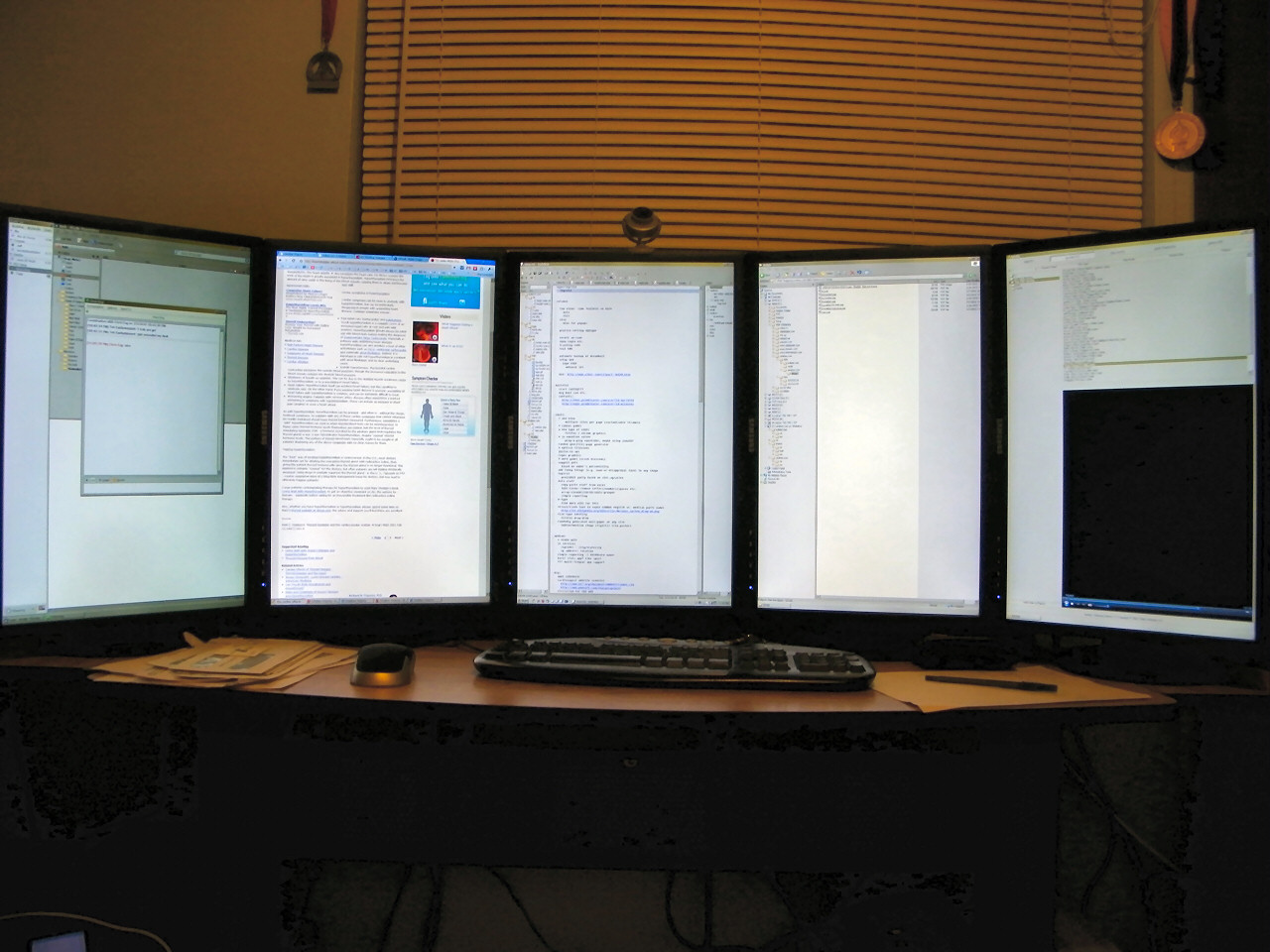
I use MBA (4GB RAM upgrade, 128GB SSD) for doing a lot of XCode development. XCode4 runs very smoothly and I've never had any speed issues with running the iOS Simulator. It's light, doesn't heat up, and is very stable. I gave up my http://chir.ag/stuff/5lcd.jpg setup for a single MBA and I couldn't be happier (my electric bill went down by $125/month).
From personal experience I know that I'm more productive on 5 LCD than on 3 LCD or 2 LCD setup. However, I spend a lot more time working on my MBA than I ever did on my desktop and though I work slower, the end result is that I'm overall producing more.
I'm the only one in our company not using any external monitors. The added screen real estate would be nice, but the downside is that then you have a different setup in the office and on the road. I rather get used to a single screen I always have with me.
edit: 5 minutes (and -$10) later, I now have a portable third monitor that I can bring with me anywhere in the house. Plus I can easily test my iPhone app in the simulator using real touch gestures, without building to a device (not every gesture is working, but this is still awesome).
This is basically a disguised VNC display. I test drove this app(or its clone) last year and it was noticeably laggy. Maybe things have changed since then...
I use an external monitor at home on my MBA and I used to find it really annoying to resize all my windows every time I connected or disconnected my 24" monitor. Then I found Stay:
This $15 app remembers window positions and sizes for each application and display setup (and even combos with multi monitors). It'll even restore window positions when you connect/disconnect external monitors.
I have had a few issues where it can't figure out TotalFinder and Terminal (because of the tabs) window positions and sometimes it can't figure out which Chrome window is which, but overall it's made switching between external monitors a whole lot less painful.
I'm the same way. I actually have an external monitor on my desk; it sits unused. I used to use it but over time I became so used to a single screen, and context switching within it, that I don't bother plugging it in any more. Ditto my external keyboard, though I confess to occasionally reaching for my bluetooth mouse.
I have co-workers who are the exact opposite; 3 or 4 screens, it's never enough, but I just feel like it's not necessary for me any more. You can only look at one thing at a time. Whether switching your view between monitors, or switching between programs, it's basically the same thing - the difference is, I can do the latter anywhere, and be just as productive in a coffee shop or on a plane.
Exceptions would be monitoring a large number of logs, or programs that require large GUIs (Photoshop, music sequencers). There, screen real estate is important. But for programming? Not for me.
I'm in the office (with external monitor) half the time and working from home (without external monitor) the other half. It always takes me about a day to get used to the switch. But generally those 2 straight weeks of working on a bigger monitor are worth the acclimation time.
I also do not use an external monitor for this reason. I like being able to work from anywhere with the same setup. I wanted my productivity to be identical wherever I am.
Not using a monitor, I also don't use an external keyboard or mouse. I have an unused monitor on my desk at work I do no plug into.
You can plug in an external screen into your laptop. Sometimes I use just an external display with my laptop; sometimes I use it as a second (primary) monitor.
Every time I get on a plane I wish I had an Air, but it's just not justifiable. Not only do I have and use my 8GB RAM (Photoshop, Parallels, browsers, Rails + large test suite), but the peripheral ports are critical. I don't think my Time Machine backup would ever get off the ground without the initial Ethernet plugin, not to mention the times when the DSL goes out at the office I can just plug into the hardline normally reserved for our Mac Pros. Also Firewire is another thing that may not be needed every day, but hurts bad when you don't have it (need to transfer a couple GBs between Macs quickly? Compare to wifi to Firewire Target Disk Mode). Even the SD card reader is quite handy. I'll leave the optical drive out because honestly that would be fine as a peripheral (although I do salivate at the thought of a top-tier 64GB SSD boot drive + 1TB data drive in optical drive bay).
I do have a bit of Air envy from time to time, but then I count my blessings that I live in a time where I have a portable workstation that I can use as my primary machine and carry from home to work every day. That is amazing in and of itself.
Lack of peripheral options has stood between me and an Air as well. Fortunately, once Apple releases a Thunderbolt version, this will quite soundly turn the issue on its head.
"(although I do salivate at the thought of a top-tier 64GB SSD boot drive + 1TB data drive in optical drive bay)."
SSDs are interesting in that they get faster as they grow in size. top-tier 64GB SSD drives are quite a bit slower (at least in write speeds) than their 128GB counterparts, which are slower than their 256GB counterparts. Write speeds scale almost linearly with size.
It's more correct to say that their speed scales with the number of flash chips. The larger drives are faster because more of the controller's channels are populated. A larger drive that has fewer flash chips because it uses a new fabrication process can be slower than a smaller drive built using previous-generation chips.
When I bought my 160GB Intel X25, my understanding at the time was that the fastest SSD available was a more expensive 64GB drive. I haven't looked at the landscape for a while now though.
I concur with authors opinion of MBA. The 13in MBA is the best computer I've ever owned. My current Mac Lineup consists of:
  * Latest gen 13in MBA
  * 17in MBP (~1yr) work paid for it
  * 13in Black Macbook (loved this one too!)
  * Mac Pro (totally pimped out) work paid for it
  * 3rd gen mac mini
The only machine I use now is the MBA. It is everything a Web Dev needs, great resolution, fast, travels well. It even plays Minecraft quite well. The only thing I'd ask for in the 3rd gen models is a back-lit keyboard. Love this machine.
I don't understand this obsession for backlit keyboards I've been reading about a lot lately on forums. It definitely looks nice but its just a battery drain and I assume most HN people don't look at their keys. I always keep mine off for the sake of my battery.
Have you measured the battery life difference? I'm pretty sure each lit key has a fibre optic lead, with all the keys going to a single white LED. That should be a draw of about 120mW, which is pretty tiny compared with the couple of watts the rest of the computer is drawing.
I pretty much love my current laptop, but I still do miss the backlit keys of my old powerbook.
backlit keyboard aren't just for looking nice. they're for working at night in dark rooms. before touch typing you need to glance quickly at your hand's position above the keys, to make sure your hand position isn't transposed slightly up, down, left, right--which happens easily when you're blinded by a monitor in the dark, and the key bed is pitch black. yes, you can fold down your monitor till the light illuminates the keys, squint while you orient your hand, then raise the monitor to eye-level...but that is a distraction to workflow when hacking at night. way too much effort just for checking hand orientation. backlit keys solve that problem, which is one of the most serious 1st world problems facing rich people with nice computers today.
That's why the F and J keys have small bumps you can feel so you can position your hands for touch typing. The 5 key in the numeric keyboard also has one of these.
The backlight can be useful for the function keys or whatever, but touch typing does not need any light.
people who work in the dark, but have not achieved total union with the keyboard, appreciate the backlight. forced battery drain isn't an issue: turn off the light if you don't want.
do f and j bumps enable you to touch transcribe this string?
>}[\|:{%^&?`~]*();"'!@_+-=#$,./<
not for me. these keys are the bottlenecks that break my flow and force me to think for a few moments about where things are.
your tactile union with your keyboard may be 100%, but mine is more like 80%. congrats if you've mastered chopsticks, but fork is a no-brainer. i admire the simplicity of those little f and j bumps, but they're just no match for a glance.
why not a choice: a backlight to turn on if you want, off if you don't? i don't want a backlight on all the time either. if i'm banging out email, no need. but if i'm coding, or something else that requires lots of special characters and finger-fu, then a backlight is handy.
Same here, 13" 4GB MBA, bought after my neighbor's apartment fire forced me to get a new system for the 4.5mos without my old computers. Got it all back eventually. I use my MBA constantly, at work and home (hooked up to a 24" at home). I have a W7 quadcore w/ 3 monitors that I only use for Photoshop/server stuff.
I went from having a 17" Mac Book Pro core i5 and a Mac Pro 8 core, both with maxed RAM to my MBA 13" top of line.
While I love the SSD, and I love the form factor, when working at a desk I really really pine for more RAM and a faster chip. I push the machine super hard on a normal day, not even when doing development.
Now as a portable, nothing can beat the thing, and when working on its 13" screen, it forces you to edit your multitasking so you really don't push it as bad. But when hooked at a 27" screen, you are tempted to multitask more and it gets bogged down.
Next week when the new iMacs come out I'm going to probably get one of those to use as a desktop machine and use the MBA as a portable. With Dropbox and MobileMe and Google sync, this is an easy proposition.
I'm using my MBA (no upgrades, lowest end model) for my daily routine as a designer, and it's holding up perfectly well. I am mostly just running Photoshop, Illustrator, Textmate, and a few browsers. Hell, I was even able to play Portal 2 on this thing. It's definitely the best $1,000 I've ever spent on tech, and I'm a Windows guy.
The only downsides are if I have a bunch of large files open in Photoshop and Illustrator, I might have to save and close some to keep things running smooth. When I'm plugged into a 27" display, some things are not quite as smooth.
So yeah, I'd rather be working on a faster desktop system (though the benefits would be minimal), but I can close this, bring it home, and continue working with the same workspace.
And the monitor is better than my Dell 22" I have at home.
'Enough'? Understatement. It's practically perfect. Sure it's not your gaming rig or fit for Final Cut Pro, so that could change things if this sounds like you... but as a developer it easily trumps every machine I've ever owned.
I think I'm really late into this and nobody will read my comment but I will give it a try.
Six months ago I had a iMac 24" and a MacBook Pro 13" for studying and portability. I noticed after I bought my MBP that I didn't use my iMac as I thought to be using. Not because it was slow or bad or something. No it was just horrible to synchronize both devices with my work and study related stuff (Yeah I know now better that it is a charm with Dropbox).
While I was deciding if I should sell my iMac I decided to sell both iMac AND my MBP. Why, you ask? My MBP was just fine but sometimes I had to carry a heavy books plus MBP with me and this was why my back was hurting. So I decided to switch to something lighter and faster (and yes my MBA is way faster than my MBP ever was).
After selling both devices I bought a MBA with 128GB SSD and 4GB Ram and happier than ever before. This was one of the best decisions I made in my environment. And if anything happens to my MBA I will order a new one with thinking a moment about it.
Pro's:
* It is very fast,
* it is light as nothing else,
* I have instant-on (something which is really important to me),
* I have 5-6 hours of battery life,
* Eclipse runs really really smooth,
* XCode runs even smother,
* and every other development related works just fine (and sometimes I think even better as on my MBP)
Con's:
* No glass display (I loved it cause it was way easier to clean than a "plastic" display)
* No keyboard backlight (while this was bothering me at the very beginning, I have to admit that I don't care anymore)
At the bottom-line I want to say that unless you are working on really high computation stuff (like 3D rendering or something) a MBA will do it smoothly. I never encountered anything which I had performance problems with. (If you ask me I would wait a second longer in exchange to carry much less weight with me)
Disclaimer: I don't play any games and try to escape Flash everywhere possible (cause it lets the fan freak out).
All these pros, except weight, is really just down to the SSD - which you can get in any MBP trivially.
1. With an SSD, any current MBP would feel just as snappy.
2. Can't get around that - though I seldom feel my 4lb MBP is too heavy.
3. I've always had this, I call it Sleep.
4. My 13" i5 gets me >7Hrs.
5. Eclipse/XCode - will run just as fast with an SSD. Compile times - no contest, i5 beats the crap out of a 1.3-1.86Ghz C2D.
The i5 in the current 13" MBP is nearly twice as fast as the C2D in the model it replaced - e.g. even faster when compared with the lower clocked MBA processor. Most things in day to day operation are HDD limited. Anything CPU limited will fly on a MBP compared to an MBA - I'm thinking compiling mostly for developers... I suppose web dev doesn't require compiling much - except when using GWT (which i what I use most often...)
You might be right and maybe a MBP just fits your needs even better than a MBA could. I just wanted to demonstrate that a MBA is pretty good for development too.
Pretty much exactly my experience, except that I'm running a lot more compiles and a lot less photoshop on this 13" MBA.
In particular, if you're upgrading from a machine without SSD, the speed advantages you'll see for things like emacs or compiles of large projects -- things which access lots of small files -- are huge.
This machine replaced a MacBook Pro which was technically its equal in processor speed, but it feels faster in every way (and is a heck of a lot more usable on the train).
You could always just chuck an SSD into a macbook pro on your own - my aging late-2009 macbook pro got a fantastic speed boost when I dropped an Intel x25m G2 SSD in - a bit short on space compared to before (which forces me to keep things backed up and synched, which is a good thing) and the speed difference is night and day.
I'm in the process of abandoning my desktop and switching to laptop full time, and after weeks of figuring out the best laptop setup, I've come to the same conclusion - 13" MBP i5, 8GB, SSD = best of all worlds. Only left is to make sure I can dual boot some linux distro on it without issues (the HD3000 gfx drivers for linux may be an issue, but appear solved in Ubuntu 11.04).
X-25M. It's not the latest and greatest, but I got it for $170 after a sale and mail-in rebate.
If you've got more cash to spend, you may want to look at the new 310, or 510. There are other great SSD makers, but I chose Intel based on the price and general high reviews.
Wow, that's apparently a great deal on the X-25M--they were retailing for $220 at NewEgg.
I'm waiting to see what comes out in the next few months, as apparently OCZ and Intel are building drives with the new SandForce chipset. Don't know if the improvements will be significant, though...
This. In a corporate environment wifi just isn't allowed. We have it in our office but it is stunted beyond reproach. You need to be plugged in to access stuff.
Not all large corporations are like that. Here at Cisco most employees are given only laptops (Thinkpad or MBP) and the wireless here is usually fantastic as one would expect. Now if only I could get my hands on a Cius...
Rumors abound of a Sandy Bridge- based Air hitting later this year, along with Thunderbolt — if a Thunderbolt to GigE adapter comes out, it will remedy this issue.
802.11n can be pretty fast and I doubt you'd notice a difference vs a 10/100 network. Many gigabytes of video files get transfered OTA every day in my office.
Interesting that I seem to be the only 17-inch fan here. I can see the attraction of an MBA, but I prefer having a screen big enough that I can do everything on it without an external monitor, and I don't mind lugging it around at all.
I'm 3.5 years into owning a 17" MB Pro, and my next laptop will be the 13" Air. I wanted the screen real estate when I bought it (coming from a Toshiba that could only do 1024x768). While I love the performance and all the pixels, it's just not portable. The higher resolution on the Air is good enough, and the weight is very appealing.
I travel between three offices every day on foot / bike. I tried the 13" MBP on my back for a while, but in the end it caused more pain than it was worth. I can only imagine the 17" being far worse.
For now I use a Lenovo x200, but it's about the same as the MBA 13". So while sure I could "lug" the 17" around, I'd much rather loose some screen space and save my back. But I will say, I am quite jealous when traveling of the screen space the 17" provides.
The difference in weight is much more than it sounds.
Work had issued me a Lenovo Thinkpad T61p with a large extended battery pack to make it last closer to 4 hours. It weighed about 7.5 pounds. After just 15 minutes, my shoulder would become sore from lugging my bag around.
I handed them their laptop back and bought a 15" MacBook Pro with my own money. Just that 2 pound difference means that instead of my shoulder being sore after 15 minutes, it takes about an hour for it to become sore.
If I didn't need the memory and the CPU (I do data warehousing work, and need to run VMs almost all the time) I would certainly have gotten a 13" MacBook Air to shave off another 2.5 pounds. Heck, I'd probably get an even smaller bag just to shave off another 1/2 a pound. It's absolutely worth doing.
There's a difference between "I dont mind lugging it around" and "I lug it around a lot". I had a 17 inch once and realized that, even though I could move it, the weight and size made it inconvenient. It ended up sitting on the desk all day.
For me it's less the lugging (though that's a factor), but more the easier ability to use the machine in cramped quarters, like at some coffee shops, and in economy-class plane seating.
17"MBP here too, and after 2 years its been a great machine, still decent specs by today's standards. But the size is starting to wear on me. I've entertained the option of upgrading to a new 15"MBP but it doesn't seem like a big enough jump to justify the cost.
I hope Apple has a 15" Air in the works because that would feel like an upgrade in multiple dimensions - cpu, ram, display, weight, thickness, portability.
The bigest complement about my MBA is I love(d) my iPad, I took it everywhere, but I gave it to my mum at the weekend because I don't use it anymore since I getting a base 13" Air.
I use my maxed out 13" for all my work now with an external monitor.
It's an interesting change, the only problem I really have is I live in a hot country so the laptop runs hot and kernal_task screws around trying to get the temperature under control.
I live in Florida and was amused when I got my most recent 15"MBP that the technical specifications state the the max operating environment temperature is 95F.
I get only about 2.5 hours when running Arch Linux compared to almost double when I used to run OS X on my MBP 5,3. I rarely use my laptop unplugged though so it doesn't make a huge difference to me.
I think a large part of the difference on my machine is that you are forced to use the 9600GT for video as opposed to the more efficient 9600M that is available in OS X.
It's probably better to say that OSX power management is better on Apple hardware than all the rest. I was getting about 40% less time when using Windows XP than when I was using OSX.
I'm also thrilled with my MacBook Air 11" running Debian. The installation and configuration took some time though. Since I manage it all in Puppet it's easy to reproduce.
Thank you -- if I may ask, what are in the network::interfaces::wireless and keyboard::apple classes? I'm strongly considering switching my MBA over to Debian in the near future.
Simply put, the 11" MacBook Air is the best computer I've ever had. I've always appreciated small and light laptops as I travel quite a bit, but this one takes portability to a completely new level. The laptop weights only a kilogram, and is small enough to fit pretty much any bag.
I also hate the display adapters Apple forces us to buy and carry around. I give a lot of presentations, and this is another piece of equipment to accidentally leave home. Why not just go VGA or HDMI?
HDMI is almost the same size as the Mini DisplayPort. Apple just loves their own connectors, unfortunately. I was shocked when I noticed the VGA adapter wasn't included in the package.
Luckily I realized this before my first conference presentation with the new computer ;-)
> HDMI is almost the same size as the Mini DisplayPort.
Not it's not. HDMI is almost the same size as full DisplayPort (and nowhere near as good a format for computers).
An HDMI Type A connector is 13.9mm x 4.45mm, a mini-DP connector is 7.4mm x 4.5mm. The mini-DP connector is half as wide.
> Apple just loves their own connectors, unfortunately.
You are aware mini-DP is now under VESA and has been integrated by a number of laptop manufacturers right? (and again, that DP in general is a much better A/V interface than HDMI for computers)
* It's both internal and external, so in a laptop you can drive both the laptop's own screen and the external A/V plug with the same display interface (instead of having an internal LVDS interface and an external HDMI one for instance)
* It's backwards compatible with DVI-I (and HDMI for that matter): you can carry DVI-I or HDMI signals on a DP cable and only need a passive adapter (although that is limited to single-link on both DVI and HDMI, there aren't enough pins in the DP connector to handle dual-link DVI and HDMI via passive adapters)
* It's packet-based and includes arbitrary pure data transfers (ignoring Thunderbolt) so you don't need a separate data cable to have your screen act as a HUB (USB or 5-in-one for instance), HDMI is TDMS and has no data stream (it comes from TV analog cables)
* It includes a Direct Drive Monitor spec (allows for controller-less monitors which are directly driven off of the displayport signals, although this puts limits on the panel's resolution and color depth)
* DP 1.2 includes independent video streams (to daisy-chain multiple monitors without the need for multiple connectors or a hub), though AFAIK no monitor handles daisy-chaining so far.
* DP includes a mini-connector (mini-displayport) with roughly half the footprint of the full-size one, a boon for ultra-portables (it was developed for Apple, and Apple gifted it to VESA) available under the same royalty-free license-free terms as DP itself (mini-DP was folded into the DisplayPort 1.2 spec)
HDMI is a good A/V standard for TVs, but DP is far superior for computers (and it's driven by computer manufacturers). There is probably a future for both (that's VESA's own party line), but I'd much rather find all my computer video output available as DP first and foremost (with HDMI as an option if they want to).
If by "almost" you mean "over twice as big", sure. (I happen to have an HDMI connector sitting next to my MBP's Thunderbolt (nee Mini-DisplayPort) port.
Edit: They have "mini-HDMI" out, which is an entirely different beast than the mini-HDMI adapters included on many Android smartphones. A mini-HDMI port would require similar adapters to connect to anything useful.
A normal "type-A" HDMI port is a sizeable connector, larger than a USB port.
Several mobile phones have HDMI out. For me that is "small enough". I think HDMI would even make the ports on different sides more balanced, as the size is more similar to the magsafe adapter
>I also hate the display adapters Apple forces us to buy and carry around.
This could turn into an advantage if the next MBA revision adopts Thunderbolt as its display connector — then you'll have incredibly high-speed access to external storage, which would make the MBA much more practical as a single machine.
It's really too bad there is not a matte option for it. I agonized over the MBA vs MBP decision for about a year, and finally got the High-End 15" 2011 MBP model with the matte screen upgrade. Couldn't be happier. Yeah, it's a big hulking beast, but the extra real estate and matte screen are really nice. I don't think I can go back to glossy ever again...
I had a glossy 15" and now the semi-glossy 11". It's really not very glossy at all. I barely ever notice my ugly mug staring back at me. Really, the best of both worlds.
Computing power-wise there are few machines that can't do the job for most people. I recently had a friend get the ASUS 1015B[1] for $289. For everything he does (he's not a developer, rather a policy wonk) it works just fine. He loves the form factor for travel, weight, everything.
But the problem with MBA, netbooks, and laptops in general is that they're less productive for some classes of work. Generally due to the display size/resolution. I find that even a 24" dislay is not adequate to really work at full steam. I need at least 2x24" when doing serious dev work. I can work on my laptop in a pinch, but its like writing a long email with T9. Sure, you can do it, but its not the way you like to operate.
Not to sound like a fanboy (I believe I posted something about my Air a while back on HN), but I'm a big fan of my 13" MacBook Air after a few months of using it. I agree with the original poster that it is more than sufficient for an everyday work machine.
As an aside, it's a pretty decent gaming machine as well... We recently started playing Borderlands GOTY edition LAN games at the office and my MBA ran the game much smoother than another a ~1.5 year old 17" Macbook Pro in the office. He had to downgrade the video to get it working nicely, while my MBA hummed along without much of a sweat.
Tangential question: I've got a MacBook Air and a first gen (of the current design) white plastic MacBook that stores all my music/video (300GB music, 100GB video, with a bunch more video on external USB drive). My issue is that it is very slow these days, and I feel like it is IO bound with my big, kinda slow HD. I'm considering replacing the optical drive with the OWC SSD hack. Then, the OS & apps can live on the SSD, music and video on slow HD. Thoughts on performance? Anyone else try this?
I got the early 2011 MBP 15" because i wanted a single machine i work on in the office and at home. I am using it with an external screen though, mostly for ergonomical reason. Working Laptop-only hurts you, dont do it all day!
But the most annoying thing currently is that its fans speed up so quickly during work. Because of this i regret buying it and not going for a MBA11 + iMac.
I've never attempted this myself, but you might want to google around for ways to underclock your MBP to keep it cool. I'm guessing it's either impossible due to firmware restrictions, or there are tools out there that make it crazy simple.
Recently I was looking for a new laptop. The new MacBook Airs arguably have the best-designed hardware of any laptop on the market, but I object to certain hacker-unfriendly steps Apple has taken: namely, the use of pentalobular and triwing screws to make disassembly difficult. I cannot in good faith buy a computer from a company that so actively dissuades tinkering.
I've decided to go with the ThinkPad X220 instead. Although it's not quite as svelte as the Air, it is designed to be user serviceable. Hell, Lenovo publishes a manual with instructions on how to replace the system board (including details such as the torque each screw should be tightened to). And, although the X220 has a removable battery, its battery life is just as good as (if not better than) that of the Air.
(Oh, and the OS difference does not affect me because I will run Arch Linux either way.)
I made the same choice last week after the aluminum bezel on my out of warranty MBP cracked (Wtf!). Nothing in the current Macbook stable meets my criteria. The Pros are all too heavy and the MBA is currently underpowered. The X220 seemed like a much better fit for me and I have one on order as a result.
The fact that my MBP has been the absolute worst laptop I have ever owned didn't do Apple any favors.
I've been slugging it out at work with my 5 year old Macbook at work with an external display and I will continue to until it dies.
When it does go though, I intend to make a choice between a Macbook Air and a Macbook Pro. I already have an iPad 2, but the lightness and mobility of the MBA might make it the better machine for me.
While the previous MBA might have felt like a compromise, I find the current MBA a top-tier contender for development, personally.
I use a BookArc Air from TwelveSouth[1], LED Cinema[2] display. I find it beats having 2 Macs. I love disconnecting my MBA, taking it to work and opening it up at the exact place I was when I last used it. The BookArc makes it aesthetically pleasing and organized and the MBA handles the Cinema display without effort. I also like syncing my iTunes library with my iPhone on one Mac.
My 2008 (Core 2 Duo) MBP died last week and I figured I'd upgrade rather than repair it (I felt the Core 2 Duo was aging fast). I borrowed my mother's low-end MBA for the time being and Fell In Love. It was great for Xcode development/tricked-out Emacs for remote dev. (pretty much all you need).
However, I ended up with a tricked-out MBP 15" w/ SSD & Hi-Res screen - the reason is I need the peripherals &etc. for heavy apps like Logic. But let me tell you, if you're going MBP 15" - cough up for an SSD, but also ... get the Hi-Res screen. It's only $100 extra and you will feel as if you have an absurd amount of screen real estate.
MBAs look nice for on the go but I definitely wouldn't give up my 27" imac at home (1 20" attached to the imac too) setup at home. I have a company MBP that I use for whenever i'm out and about. I definitely don't haul it everywhere but it's no trouble to take on even an afternoon trip if there's a chance I could use it.
I'm also not sure what the problem is with switching to a different workflow on a laptop vs a desktop. I'm fine alt-tabbing between chrome and coda or xcode and ios sim but I'd prefer to not have to. All of my content stays in sync with a combination of git and dropbox so no issues there either.
He mentions a useful life of three years - but within three years, I'd expect ARM laptops to have largely replaced intel laptops, and be lighter, slimmer, have longer battery life, etc.
Dual-core machines are out this year and are already fast enough for non-intensive tasks. Quad-core are expected next year. As a guide, in three years (2014) Tegra (Stark) is expected, which 100 times faster than Tegra 2. Apple's internal cpu could well be faster. Three years is a long time. http://en.wikipedia.org/wiki/Nvidia_Tegra#Tegra_2_series
Dell made a laptop with similar specs called the 'Adamo' for a while. It's small, light and sexy, costs about half as much as an MBA, and Ubuntu worked out of the box.
A good alternative if you'd like to avoid the Apple flavored kool-aid.
Lenovo's about to release the ThinkPad X1, with relatively beefy specs and the MBA's form factor. Do want. It's freakishly expensive though (almost $3K).
I couldn't find the "Adamo" listed on Dell's US website, but it is listed on Amazon[1] for ~$1261. That's only a touch less than a MacBook Air. Where did you find it for "half as much?"
I suppose if money were no object I'd probably get a MBA but the fact is that the 13" MBP I ended up getting is more than enough for what I use it for and was 25% cheaper. And when every dollar counts, that's important.
I've owned the 11.6" MBA for a couple of months now and it works great. It's portability is fantastic because I have to take it with me to several locations where I don't have a lot of work space. It's fast and the battery life is decent enough so that during the day I really don't require a power cord (but I don't go online much with it during the workday).
The only time I see it slow down a little is when I'm accessing my Yahoo email in Outlook.
I know it sounds trivial but the lack of a optical (CD/DVD) drive is my biggest barrier. In my work place, I still get all kinds of files and media on CDs and DVDs.
That's an interesting data point. I recently got a Macbook Air and before doing so I was thinking about the optical drive. I realized that for the way I use a laptop, it's been 8+ years since I've used an optical drive on my laptops for anything other than installing software. And now with more and more software being distributed via download even that is becoming less of an issue.
I got the top of the line MacBook Air. It was my first Apple product ever. After tax was 1900 ish, which I do admit is super expensive. It does everything I need, and is SUPER portable -- I can carry it like a piece of paper. Everything is super responsive, and compilation is fast enough. I run Photoshop from time to time, and its not a problem whatsoever. Also tried out Portal 2, no problems at all.
As a developer, I can always use as much CPU time as I have available. A good example is the Moose test suite: on my laptop, it takes 3 minutes (there are a lot of tests). On my desktop with -j8, it takes 10 seconds.
(This setup was a lot less than $1799, and I have 6G of RAM, an SSD, and 3TB of slower storage. But I am big on ergonomics, so a laptop doesn't work for me anyway.)
I'm waiting until the MBA gets thunderbolt and solves it's biggest problem, a lack of a fast data transfer method. Sandy Bridge CPUs and maybe maybe USB3 would be good bonuses. Otherwise I'm sticking with the Pro with gigabit ethernet and firewire 800.
If the MBA could also get a 1080p screen like the sony vaio Z does, it would get rid of the biggest reason I want to get a vaio Z.
I am currently using an original 2008 Macbook Unibody as my work machine. I bought a 2011 i5 Macbook Pro last weekend, but I ended up returning it. Instead, I bought a 2010 Macbook Pro. It will support my 256GB Crucial SSD and two 1920x1080 27" monitors and will be my new work machine.
My MBA is my favorite computer also: for running IntelliJ, Emacs+Lisp, Rails development, etc., it is great to use. I do still use a MBP for one customer's work because I need a ton of services running during development.
I bought my MBA (top of the line) last week, it is amazing. It does everything I need it to do. When I take out my MBP 15inch now...it feels like a huge brick.
Glossy like the new MBPs? No, they don't. The glossy MBPs have a sheet of glass and my current gen MBA doesn't have that.
Of course, I would recommend trying it out for yourself at an Apple Store before deciding anything. Even if it wasn't glossy you still might not like the screen.
Workflows vary, of course. And yeah, for non-programmers, I think the Air is a great machine--good enough to be the primary machine for most people.
But for full-time programming work, I think it is absolutelyfuckingbatshitinsane to use anything less than a modern 12-core Mac Pro with 32 GB RAM and an SSD RAID boot volume (at which point multiple 2560 x something monitors are derigueur).
That's certainly true for [Obj-]C[++] development, where large compiles still take minutes, even on such hardware--and can take an entire lunch break on the Air.
Obj-C coding is my primary background, so buying the fastest possible machine every year has always made sense in that way; perhaps I have a leftover cognitive bias toward buying the fastest possible machine. But, for the past year or so, I've been working mainly with Ruby and Objective-J, which don't have these burdensome compiles. Yet buying the fastest mainstream hardware still makes tons of sense to me.
Running a few hundred unit tests, one second is way better than eight seconds. Running a bunch of convoluted RSpec integration specs, 34 seconds is way, way better than seven minutes. And although I mainly use simple editors like MacVim and BBEdit, I also really like the psychotron-dynamic-heuristic CodeSense-style introspection-based context-aware autocompletion features of RubyMine--a heavyweight Java-based IDE that eats 800MB of RAM and can barely even launch on a MacBook Air, and certainly isn't usable on it. And of course the modern Pro can run Win7, WinXP, and Linux in VMWare in the background without breaking a sweat (that's why 16GB RAM doesn't really suffice).
Don't get me wrong; I think the recent MacBook Air is awesome. I have one, that I use for... well basically for word processing on airplanes (haha). And whatever else on airplanes.
But for working programmers, I think computers are still not nearly 'powerful enough'--there are still huge gains to be had by getting the fastest machine that it is reasonably possible to buy.
For roughly the price of one decently tricked-out Mac Pro, you can buy ten MacBook Airs. And for roughly the price of ten decently tricked-out Mac Pros, you can hire one additional developer.
That notwithstanding, I still think it makes business sense.
Sometimes, in my dreams, an AI built by an alien race visits my house, from the future in another galaxy, and explains to me the precise opportunity cost of a dozen human developers waiting three or four extra seconds, a hundred times a day for a year... and it's more than the ten grand that an appropriately provisioned Mac Pro costs
P.S.
A bootstrapped startup where money is really tight is the obvious exception--the exception that proves the rule!
Wow. You think it's "absolutely fucking batshit insane to use anything less" than a $8000 computer for full time programming work? (Not counting monitors.) Either you're rolling in money or you're not paying the bills.
I mean, absolutely my work could use that kind of power. My compiles routinely take minutes, and I run tests pretty regularly that are measured in hours, not seconds. I spawn off most of those tests to a Linux machine in the basement so it doesn't slow down my main development machine -- but no doubt it would be very nice if those tests ran 3x faster, and compiles were magically fast.
But I don't think it would be nice enough to justify forgoing our retirement savings every year we needed a new computer...
My experience is completely different from yours. As a programmer I need very little: a terminal, Emacs, and a browser. These run very fast on the MBA.
And unit testing... I usually only run tests relevant to what I'm working on, and the full suite only before I push code, so it never takes much time.
I suppose this is because I work in the area of high performance systems research, but I never compile locally. All of my compilation and execution happen on a remote cluster. I've used a 13" or 15" Macbook Pro for all of my work for the past three years.
We don't have the infrastructure to do that, but I did recently spend a week working out of town where I had only my 17" MacBook Pro. I became frustrated on the first day, and switched to coding on my Mac Pro back in Tokyo via remote desktop.
Japan is small and fiber-wired, so there is no lag typing. There's only some flicker when dragging large windows.
It worked well, but I don't think that us grunts working in the trenches of modern consumer software have the special luxuries that you do--yet.
With the advent of cheap on-demand cloud infrastructure, though, I think those types of benefits will start percolating down soon. Huge suites of automated tests are the new bottleneck (compiling is so 2005, etc), but they are so easily parallelized that it can't be long before cool tools start to emerge... write code on your Air, but execute your tests in parallel on AWS, or whatever.
So yeah, I think the need for having fast local hardware will diminish over time... but faster for some than others.
>> Japan is small and fiber-wired, so there is no lag typing.
I've been using an 11 inch Air in Japan for the last few weeks and thanks to the full size keyboard, there is nothing you can't do on it when combined with wifi or a tethered iPhone. Have your large desktop machine in the office or at home always on and just remote into it. Remote desktopping into an 8-core i7 over a 3G connection gives you 7 hours of battery life and a very powerful machine to work on.
The Air is almost the perfect "thin client" - even the 2GB/64GB model is more than enough if you have decent connectivity. Use local mail client, browser and Office for light local work and click an icon in the dock to instantly have access to a powerful development machine.
Now, the cluster I have access to is impressive (several hundred nodes of 4 cores machines, separate development and execution nodes). But as a grad student, it was one Dell PowerEdge server that was the head node to a PS3 cluster, and another Dell PowerEdge that served as the backup file server. Both of the Dell PowerEdges cost between $5-10k.
I did have luxuries - most of the time I was the only one using the machines. But as a grad student, I don't think I had access to more resources than someone at a small software firm. However, I did only need to deal with text input and output. I can see having to compile, execute and test locally when dealing with consumer software.
On a separate note, does anyone know where one can buy a 12-core, 32GB RAM, SSD RAID machine that's not made by apple? I've looked around and I can't find any. Blade servers, sure, but desktop workstations?
I think it's interesting how apple has claimed the ultra high end user market in addition to it's other markets.
All 3 of the main PC manufacturers (Dell, HP, and Lenovo) make such a system:
HP Z-series (I like the Z600[1]), or the Lenovo Thinkstations (C20[2] is currently my favorite workstation, as it's tiny but still can have dual Xeons).
You can configure HP's Z800 workstations with two 6-core Xeons, including some higher-spec CPU models than the ones Apple has available, and up to 192GB of RAM, 6 HD bays, way more graphics options, etc., for a system costing up to several tens of thousands of dollars.
I did one HP Z800 configuration similar to the Mac Pro 12-core, with the same CPU and RAM and slightly better graphics, and it came out over $1000 more expensive than the Mac Pro.
The older Mac Pro machines might well see additional and continued usage as members of a distributed build farm using distcc via 10 GbE or gigabit network.
I was seriously entertaining the idea of getting a top-end MBA earlier this year (refurbed for $200 off) but then the new MBP's came out and I couldn't justify a 13 inch screen and a Core 2 duo when for almost the same price I could have the 15 inch screen and a Sandy Bridge Core I7. I got the MBP and truly love it. I imagine the lightness of the air goes a long way towards what makes it so popular but I don't really travel that much, I just carry my MBP to coffee shops and tech events so it's not that big of a deal to me.
IMO the SSD is what puts the MBA over the MBP when deciding between the two. The big benefit is the battery life. The MBA is the first laptop I've ever seen where a programmer can work for what amounts to a full day on a single charge without any qualification.
I agree to a point. All of my regular-use apps (Eclipse, Xcode, Textmate, Chrome, Terminal, Echofon) all start up really quickly. I don't really ever find myself sitting around waiting for things on it.
I'm really not a fun for Mac stuff. It's just a fashion thing, not for work.
For the money you spent on Mac, you can definitely buy a cheap powerful machine with free reliable Linux system.
No matter to say its monopoly of market, even an adapter to projector need its own. I have seen so many times someone using a Mac but forgot bringing that stupid adapter for projector, she/he had to change to PC to do the presentation.
Still don't understand why people like such pricey not comparably useful machine.
Mac OS X is the only unix based OS that runs Photoshop natively. Macs are the only way to run Mac OS X except if you make a "hackintosh".
Linux is not as user friendly and integrated with the hardware as Macs. There are certain apps that are only available for Mac. Those are some of the reasons.
In this case, the Mac might actually be the better buy if you're just talking hardware. From one review of the most comparable PC, the Samsung Series 9:
"The 13-inch MacBook Air delivers longer battery life, better graphics, and a higher-res display for $350 less, and you can get a 256GB SSD inside for $50 less than the Series 9."




Man, this is disingenuous. 8GB RAM? As if you can't get it cheaper (or the MBA even offered 8GB RAM as an option)? Or as if the 15" MBP doesn't blow the Air out of the water in every other aspect? I bought a 13" Pro because (a) it's smaller and lighter than the 15" and (b) I don't play PC games.
When we run THAT comparison, well:
13" MBP with 256GB Crucial SSD [0], 4GB RAM, 2.3GHz Core i5 -- $1699
13" MBA with 256GB SSD, 4GB RAM, 2.13 GHz C2D -- $1799
Sure, I don't have a Hi-Res screen (the one Pro feature I wanted on the 13"), but I can actually upgrade my computer in 3 years when 4GB RAM becomes a bottleneck. Now that's a low year-over-year computing cost.
The MacBook Air is an awesome machine, to be sure, but it's awesome because of the built-in SSD--not because of the value it provides.
[0] http://www.newegg.com/Product/Product.aspx?Item=N82E16820148...