This is pretty cool and fun to inspect & maybe draw inspiration from, but please don’t ever use code like this in production. Cool code ≠ reliably cross-browser, accessible, or maintainable code.
Dear downvoters, I’m not criticizing the experiment or the visual appearance of this trick. I love following simurai.
I'd agree with you on this; this kind of markup+CSS does not exactly say "toggle button" to the next coder to read it. The most problematic thing, actually, would be that the toggle action hack used here changes window.location.hash and the back button goes through every state change. Probably not desirable behavior and it would take yet more hackery to fix it.
It is too clever for its own good, but the "reliable cross-browser reliable" critic is way too MSIE friendly: The code is all standards based. There are no vendor-specific prefixes such as -webkit or -moz.
The best method of obtaining maintainable code is to avoid buggy browsers that need tons of workarounds and hacks.
Actually if you read the source code he explicitly says:
/* AFAIK, not supported in moz/o[pera] yet */
and :target has incomplete browser support still. Nested <a> tags are a bit unusual, too, even if they are legal (is this valid? I don’t even know, because come on!)
But I’d like to make a slightly broader point that, on the web, if you want something to work on as many clients (and that means on hundreds of different mobile browsers as well, these days) then sticking to the mainstream is your best bet, if perhaps boring :)
"Nested <a> tags are a bit unusual, too, even if they are legal (is this valid? I don’t even know, because come on!)"
As it happens I've been fiddling with the HTML 4.01 DTDs in a project the past couple of weeks, and I can answer this for at least HTML 4.01: No. An A element may contain any inline element except for another A tag, which is explicitly denied.
(It isn't entirely clear to me whether the standard permits something like <a><b><a> or if the exclusions apply to all children, but the latter interpretation makes more sense.)
It depends on the type of application you're building, and what your market is. This is a perfectly valid technique for iOS and likely Android web apps, and for modern browsers capable of supporting it.
I disagree for reasons of maintainability and code weight. A web toggle button is about 5 lines of CSS, 10 of JavaScript, and 2 of HTML (in my experience). A toggle button that requires minutes of investigation to grok is not really appropriate for anything useful that someone else may maintain or fork.
Edit: You’re right as far as browser support if you only want to target Webkit and bleeding-edge browsers, but that’s not really my point. (And I’m not sure why you would want to actively exclude other browsers by choosing a complicated technique instead of a more traditional, lightweight, and understandable one — which is my point.)
His code uses an invalid technique that go against the spec[1]. You cannot add generated content to a replaced element IE8 and Mozilla follow the spec, webkit and Opera don't. It's a shame that this is the case.
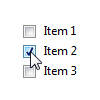
A better approach in my opinion is to use a checkbox (hidden) with a label pointing to it, then the styling can be applied with the CSS '+' selector, though this won't work with IE6, at least it's using sensible markup.


This is pretty cool and fun to inspect & maybe draw inspiration from, but please don’t ever use code like this in production. Cool code ≠ reliably cross-browser, accessible, or maintainable code.
Dear downvoters, I’m not criticizing the experiment or the visual appearance of this trick. I love following simurai.