Just as a note to anyone wanting to pick one up. The webcam is down by the keyboard, and not in the bezel above the screen. So if you work remote, all your fellow workmates will be staring up your nose.
Might be good if you don't type touch then. It'll look like you're looking at the camera (them) more often. (As for myself, I'd just look arrogant...)
The minute someone can magic out a way to turn a monitor into a multi point camera, add some eye tracking logic and integrate that with the conference display, we'll have a small video teleconference revolution on our hands.
The real answer is a 3d camera. That way you can actually make eye contact and interact much more realistically. Fortunately the apple patent doesn't seem to apply.
Given the security fears of cameras, I think it would be nice to have a no-camera option. Those that want a camera can then use a USB one, the main feature of which is that it can be unplugged when not in use.
I can't tell if it's a serious comment or not but in case it's serious: Why even buy a laptop? If you're paranoid enough to want to do this sort of thing to something you're paying over $1.5k for, have you realized the consequences of what other things a bad agent can do?
Your data, your files are more valuable to the NSA than your microphone. If they care about what you're saying, your house is already bugged.
I think the least of my concerns would be the camera - at least if they are doing that, they might trigger some data usage that I could catch on my modem/little-snitch, etc....
If they are able to access the, then odds are they can access things like my keyboard, 1password passwords, banking, etc...
It really doesn't. I've got the XPS 15 and the camera is similarly placed. The optimal solution is to just run a USB webcam to the top of an external monitor.
On the go, you're SOL. Not only can everyone see up your nose, but don't even try typing unless you want to distract everyone with some nice finger close-ups.
I do the same - first so my clients aren't looking at the side of my face as I'm looking at them on my main monitor and second because the built in webcam quality is pretty horrible.
Every xps 13 review I've seen mentions this as a big minus. I haven't used it yet, so I don't know, but is it really that big a deal? Seems like its a fair trade off for an edge to edge screen?
> but is it really that big a deal? Seems like its a fair trade off for an edge to edge screen?
It was one of the major reasons I went with a Lenovo x250 when buying a new laptop ~18 months ago. I really liked the XPS13, but I do use my webcam regularly and having it so low just seemed like it would be very awkward. (The other major reason I went with the x250 is that I'm a big fan of the trackpoint).
Same here, I cannot work without a TrackPoint. I'm told the Toshiba work as well as Lenovo, but seeing this market shrinking every time I shop for a laptop is saddening.
Ehh, I used to feel the same but once you use something nice like a Macbook for a while you'll come to realise that trackpads are better on larger work areas and multiple workspaces and you can always still use your thumb to do small hops quickly.
I personally wouldn't ever consider a trackpoint again until they do something major to improve the feel/sensitivity actual sensor or allow us to directly edit the force/velocity curves directly. God damn thing is impossible to use on a 4k/5k native display.
I was forced to use a Mac and hated it partly because of this.
Why are you saying a trackpad is better for a large area? Don't you end up having to lift your finger, go back to the other end of the pad and drag it across again, instead of just applying constant pressure on the TrackPoint?
Just increase your sensitivity. I can click a button 7000 pixels away with about two or three quick and light motions. The whole process takes less than a second vs the 2-5 seconds I'd need with my X220 depending on speed/accel settings which IMO is lacking. Again if they just allowed me to easily edit the sensitivity curves on the trackpoint or made the displacement more linear I wouldn't mind nearly as much but as it stands I have to trade off speed/accuracy between short and long distance clicks because the sensor isn't linear and reliable enough to do both well.
For short clicks it's just a matter of preference, IMO. When I first switched to the macbook it felt strange for about a week but after that I didn't miss it one bit.
When using your webcam, do you look at its lens or the screen?
I usually look at the screen, to watch the other person's image, so a high-mounted webcam makes it seem that I'm looking at their chest. Which may or may not be appropriate.
I don't think anyone finds you looking at the screen inappropriate because it looks like you're looking at their chest if it were real life. Maybe someone who's never seen a camera or screen.
I don't even remember when I actually used a webcam on a laptop. I'm either in a conference room with dedicated camera, or doing voice-only meetings when traveling.
My experience is similar; this is definitely a company/team culture thing. At my workplace, if you see someone on camera the assumption is that it's accidental and you should let them know so that they can turn it off.
I've recently switched from project which extensively used Hangouts in meeting rooms into project that uses Lync and dinky Windows machine.
Asides from being much worse experience in terms of dialing in, sharing screens, etc, not seeing faces is so much worse. Inability to see emotions is terrible for team trust. We have 200 facial muscles that carry tons of information. We should use them.
I've worked remote for 3 years and I've never done a video conference call. I go into the office once every two weeks. Not an option for everyone but I'm sure I can't be the only person who works like this
Sure, there may be people who are used to / need to do video from the laptop. FWIW I do work remotely / from home, and I do chat with my coworkers and customers regularly, but we only do voice.
If I needed to do video more often, I'd probably get a dedicated cam anyway, as it works when using external screen with laptop lid closed (which is what I do at home). But sure, that's not an option when traveling.
For the screen, I'd suggest checking it out in the store first and making sure it feels right. The 13" on a macbook (air/pro) feels larger imo because of bezel and the different aspect ratio (16:10 vs 16:9).
I think you misunderstood. The physical location of the webcam is so low on the device that it can only show the user from slightly underneath. This can't be fixed in software.
Due to "InfinityEdge Display", there's no room to put it anywhere else. It does make the built in webcam rather useless, I've got an external (Logitech 920) webcam.
They should have done something like this, but it's Dell, not Apple.
I've used a number of their top of the line products over the years, and they've always been riddled with cost-saving compromises like this. If they put the bezel on top, they'd have to invest more money into the display hinge as well instead of whatever cheap plastic parts they currently use. That would eat into their profits, so it won't happen until the competition forces it.
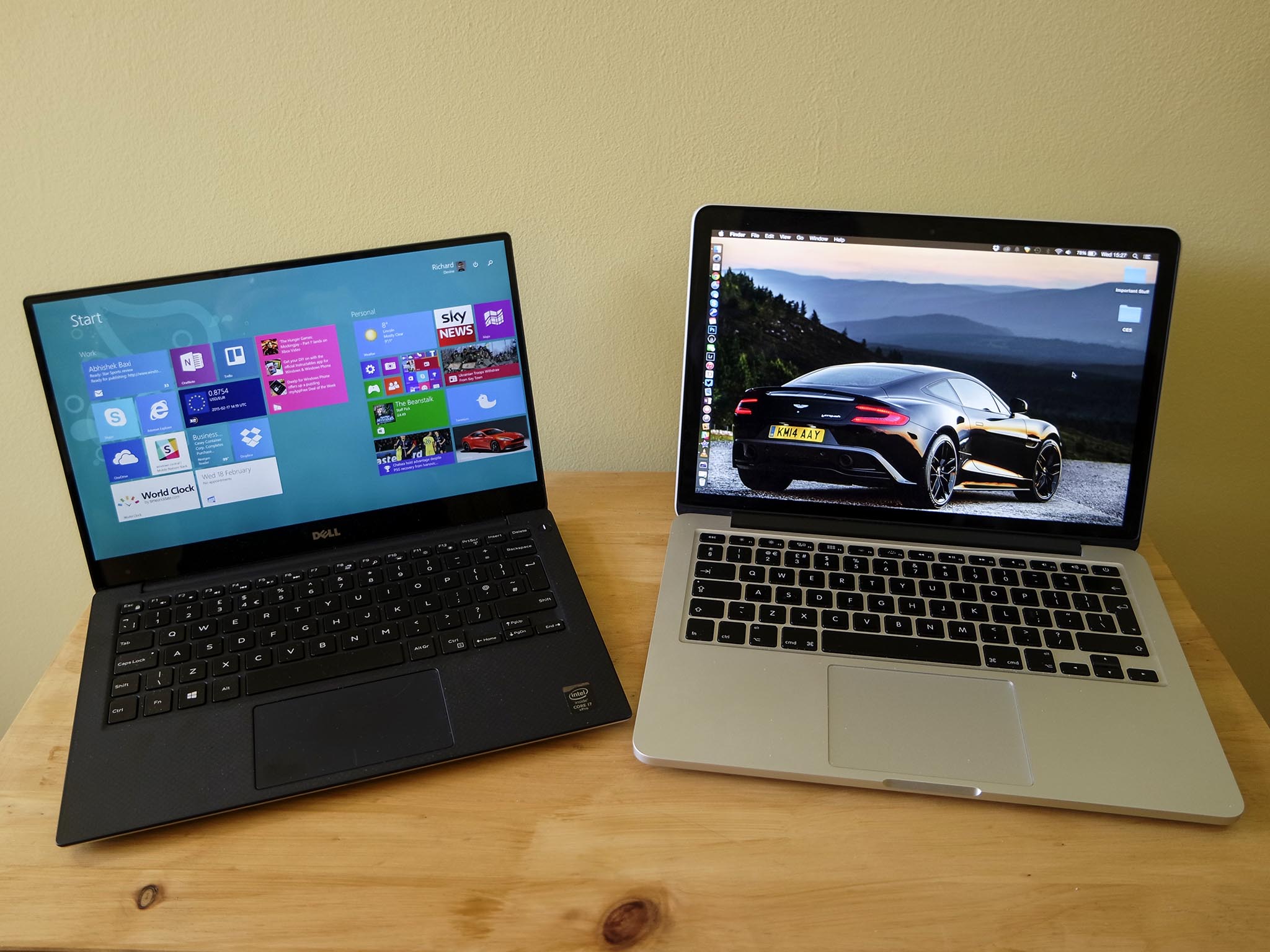
The XPS 13 pioneered ultra-thin bezels which really are quite cool[0] -- not just visually: they shrunk the device footprint while keeping the screen the same size. The poor webcam position was a casualty of that design.
What's a bit weird is that even in this, what, second or third revision, they haven't managed to engineer around this issue despite it being mentioned as a major downside practically every time the laptop comes up.




https://www.google.no/search?q=xps+13+webcam&safe=off&source...